The debate between TypeScript and JavaScript has evolved significantly since TypeScript’s introduction in 2012. As we move into 2026, both languages continue to shape modern web development, but the decision of which to use is no longer a simple one-size-fits-all answer. Whether you’re building a small project, scaling a startup, or maintaining enterprise-level applications, understanding the nuances between these two languages is crucial for making an informed choice. In this guide, we’ll explore the key differences between TypeScript and JavaScript, examine their respective strengths and weaknesses, and help you determine which language is best suited for your next project. By the end of this article, you’ll have a clear understanding of when to reach for TypeScript’s advanced type system and when JavaScript’s simplicity and flexibility shine.
What is the Difference Between TypeScript and JavaScript?
JavaScript: The Fundamentals
JavaScript is the original language, created in 1995 to add interactivity to web pages. It’s a dynamically typed, interpreted language that runs everywhere: browsers, servers, mobile devices, and even IoT devices. The core appeal of JavaScript lies in its simplicity and flexibility. You can write and test code immediately without compilation, and the language doesn’t enforce strict type checking.
TypeScript: Building on JavaScript’s Foundation
TypeScript is a superset of JavaScript developed by Microsoft and released in 2012. It adds optional static typing, interfaces, enums, and advanced object-oriented features. Importantly, TypeScript code must be compiled to JavaScript before it can run in any environment. This compilation step introduces a build process but also unlocks powerful developer tools and error-detection capabilities.
The key insight: All valid JavaScript is valid TypeScript, but TypeScript adds a layer of type safety on top of JavaScript’s flexible foundation.
Core Advantages of TypeScript
1. Static Type Checking
TypeScript’s most powerful feature is static type checking. When you define the shape and type of your data, the TypeScript compiler catches bugs before runtime. Microsoft research quantifies the value: TypeScript catches 80% of potential runtime errors during development and reduces debugging time by 60%. Consider this example:
interface User {
id: number;
name: string;
email: string;
}
function getUser(user: User): string {
return user.name; // Type-safe access
}
// This will cause a compile-time error
getUser({ id: 1, name: “John” }); // Missing ’email’ property
In JavaScript, this error would only surface at runtime when your code attempts to process incomplete data.
2. Improved Tooling and Developer Experience
TypeScript enables sophisticated IDE features that dramatically improve productivity:
- Intelligent code completion
- Accurate refactoring tools
- Real-time error detection
- Comprehensive documentation through types
3. Self-Documenting Code
Type annotations serve as inline documentation. When you see a function signature in TypeScript, you immediately understand what data it expects and what it returns. This reduces cognitive load and makes onboarding new developers faster.
4. Scalability for Large Codebases
As projects grow, maintaining JavaScript codebases becomes challenging. TypeScript’s type system acts as a safety net, preventing entire categories of bugs from entering production. Large teams benefit significantly from this structure.
Core Advantages of JavaScript
1. Simplicity and Low Friction
JavaScript requires no build step. Write code, refresh your browser, and see changes instantly. This immediate feedback loop is invaluable for learning, prototyping, and quick iterations. There’s no configuration to manage, no compilation step to slow down development.
2. Universality and Zero Setup
JavaScript runs natively everywhere. Every browser, server platform, and mobile environment supports JavaScript out of the box. You don’t need to set up build tools, configure TypeScript compilers, or manage additional dependencies.
3. Flexibility for Rapid Development
JavaScript’s dynamic nature allows you to write code quickly without worrying about types. For small projects, scripts, or when time-to-market is critical, this flexibility is a significant advantage. You can refactor on the fly and experiment with different approaches without type constraints.
4. Smaller Learning Curve
JavaScript is easier to learn, especially for beginners. The absence of complex type systems means new developers can start building functional code faster. This makes JavaScript ideal for educational purposes and entry-level positions.
TypeScript vs JavaScript in 2026: Current Trends
The Rise of Full-Stack Type Safety
In 2026, the web development ecosystem strongly favors end-to-end type safety. Frameworks like Next.js, Svelte, and Remix have made TypeScript the default choice. Even Node.js projects increasingly adopt TypeScript as the standard.
Improved Tooling Speeds Development
Modern TypeScript tooling (esbuild, Vite, and SWC) has eliminated the “slow compilation” complaint. TypeScript projects now compile nearly as fast as JavaScript projects run. The build-step penalty has effectively disappeared.
Enterprise Adoption Reinforces TypeScript’s Position
Most Fortune 500 companies now use TypeScript for their web applications. This trend has created a positive feedback loop where TypeScript expertise is increasingly valuable in the job market.
The Maturation of JavaScript Alternatives
Languages like Rust (via WebAssembly) and Python (via frameworks like FastHTML) are creating specialized niches, but TypeScript and JavaScript remain the dominant choices for web development in 2026. TypeScript maintains an 84.1% satisfaction rate among developers who use it, ranking as the most admired language among those with hands-on experience.
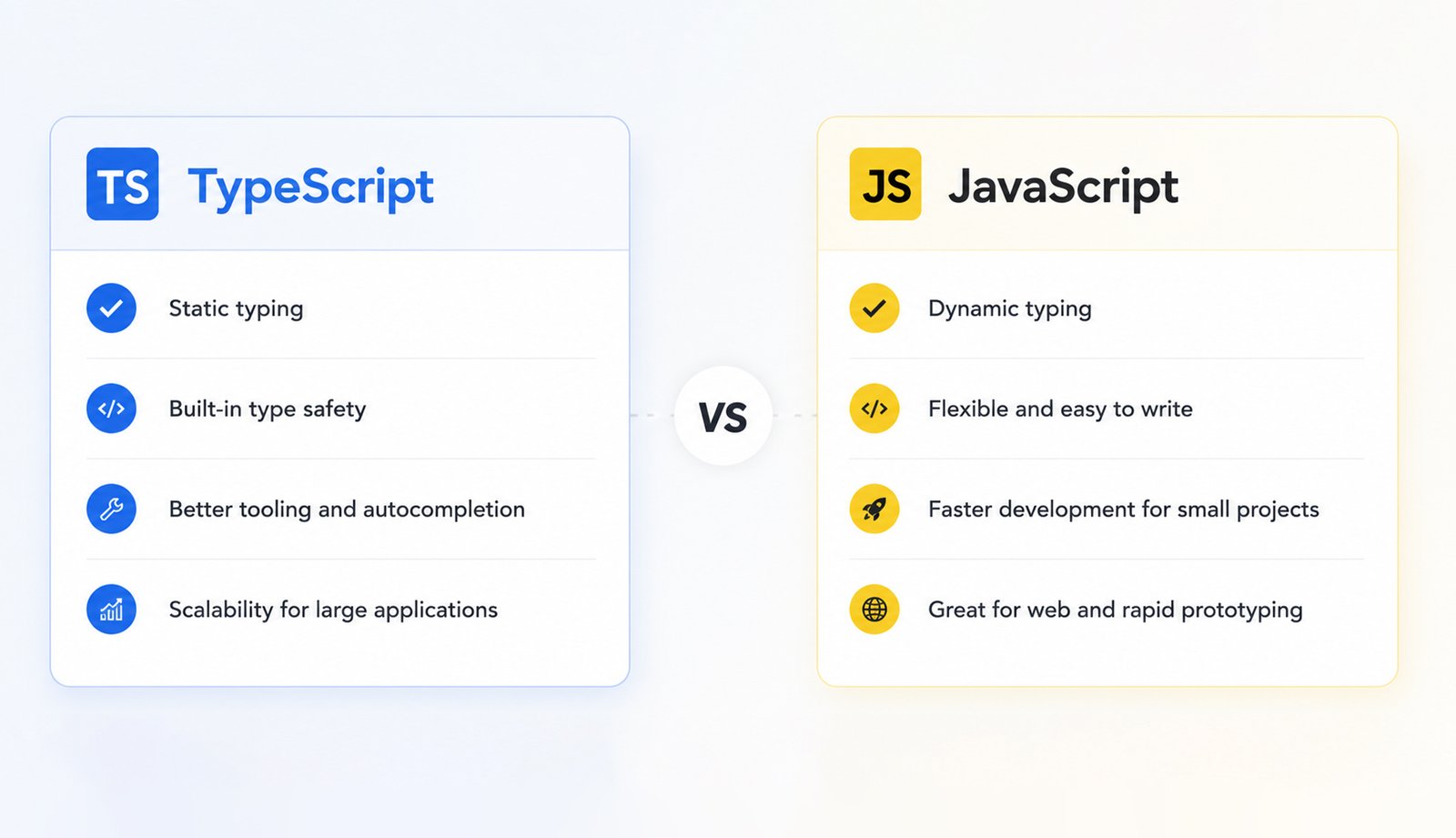
TypeScript vs JavaScript: Direct Comparison
| Feature | TypeScript | JavaScript |
| Type System | Static, optional typing with compile-time checking | Dynamic typing, runtime type coercion |
| Learning Curve | Steeper, requires understanding types and interfaces | Gentle, flexible, and forgiving for beginners |
| Setup & Build | Requires compilation and build tools | No build step needed; runs directly |
| Development Speed | Slower initial setup, faster long-term maintenance | Fast initial development, slower as code grows |
| IDE Support | Excellent; autocomplete, refactoring, error detection | Good, less advanced features without external tools |
| Error Detection | Catches errors at compile-time before runtime | Errors surface during testing or production |
| Performance | Compiled to optimized JavaScript | Interpreted with just-in-time compilation |
| Community & Ecosystem | Growing rapidly, most modern frameworks support it | Largest developer community; broadest ecosystem |
| Frameworks | Next.js, Vue 3, Angular, Nest.js (TypeScript-first) | React, Vue, Svelte (support both equally) |
| Scalability | Excellent for large teams and long-term projects | Good for small projects; challenges at scale |
| Refactoring | Safe and efficient with type-based tools | Manual discipline required; higher risk of errors |
| Documentation | Types serve as self-documenting code | Requires external documentation like JSDoc |
| Runtime Overhead | None; TypeScript compiles away completely | Lightweight; no additional overhead |
| Job Market Demand | High and rapidly increasing in 2026 | Universal; always in demand |
| Migration Path | Can migrate JavaScript to TypeScript gradually | No direct TypeScript migration |
When to Choose TypeScript
Ideal Scenarios for TypeScript
- Large Teams and Projects When multiple developers work on the same codebase, TypeScript’s type system prevents coordination bugs and makes refactoring safer. The explicit contracts between modules reduce miscommunication.
- Long-lived codebase applications: Which will be maintained and evolved over the years benefit from TypeScript’s structure. The upfront cost of typing pays dividends as the codebase grows.
- Performance-Critical Applications: TypeScript’s compile-time checks often catch performance-related bugs early. Type annotations help optimization tools understand code intent better.
- Business-Critical Systems: In healthcare, finance, or any industry where bugs have serious consequences, TypeScript’s error detection capabilities justify the additional development overhead.
- Public API Development: If you’re building libraries or APIs that others will use, TypeScript’s type definitions serve as executable documentation and prevent API misuse.
When to Choose JavaScript
Ideal Scenarios for JavaScript
- Learning and Experimentation When exploring new frameworks or concepts, JavaScript’s low friction accelerates learning. Write code, test immediately, iterate quickly.
- Small Projects and Scripts Utility scripts, personal projects, or small-scale applications don’t justify TypeScript’s overhead. JavaScript keeps things simple and maintainable.
- Rapid Prototyping When you need to validate an idea quickly or demonstrate a concept, JavaScript lets you move fast. You can add TypeScript later if the project gains traction.
- Single Developer or Pair Programming Without the coordination challenges of larger teams, JavaScript’s flexibility becomes an advantage. You can maintain type discipline through discipline rather than enforcement.
- Front-End Focused Projects: Lightweight front-end widgets or interactive components often benefit from JavaScript’s simplicity, especially when type safety isn’t critical.
Making the Decision: A Practical Framework
Here’s a simple framework to decide between TypeScript and JavaScript for your next project:
Ask These Questions
- Team Size: Will this project involve 3+ developers? → Consider TypeScript
- Project Duration: Is this a multi-year project? → Consider TypeScript
- Time Pressure: Do you need results in days, not weeks? → Consider JavaScript
- Type Safety Value: Are data errors critical to your application? → Consider TypeScript
- Team Experience: Is your team already proficient in TypeScript? → It’s easier to choose TypeScript
- Learning Curve: Is learning TypeScript a valuable investment? → Consider TypeScript for career growth
A Simple Rubric
- High complexity + Large team + Long duration = TypeScript is essential
- Low complexity + Small team + Short duration = JavaScript keeps things simple
- Medium complexity = Either works; choose based on team preference and experience
The Hybrid Approach: Getting the Best of Both
Many projects adopt a hybrid approach:
- Start with JavaScript for rapid prototyping and MVP development
- Migrate to TypeScript as the team grows or the codebase reaches critical mass
- Use JSDoc for type hints in JavaScript projects to get some type safety benefits
- Leverage TypeScript for libraries even if your main application is JavaScript
Modern tooling makes this migration surprisingly smooth. Next.js, Vue, and other frameworks support both languages seamlessly, allowing gradual adoption.
The Job Market Perspective
As of 2026, TypeScript skills are more valuable and more in-demand than pure JavaScript expertise. Most job postings for senior developer positions include TypeScript as a requirement. Learning TypeScript has become essential for career advancement in web development. However, JavaScript remains foundational. You can’t master TypeScript without deeply understanding JavaScript first. Many developers succeed by starting with JavaScript, then adding TypeScript expertise.
Conclusion: The Future is TypeScript, But JavaScript Isn’t Going Away
The trend in 2026 is clear: TypeScript has won the hearts and minds of the professional web development community. Its adoption continues to grow across frameworks, tools, and platforms. The combination of superior developer experience, better error detection, and improved scalability makes TypeScript the logical choice for most professional projects. That said, JavaScript remains essential. It’s the foundation of everything you build for the web. Understanding pure JavaScript deeply is the prerequisite for using TypeScript effectively. Additionally, JavaScript’s simplicity and universality make it irreplaceable for certain scenarios, learning, prototyping, and small-scale applications.
The best advice for 2026? Invest in mastering both. Start with JavaScript to build solid fundamentals. Then move to TypeScript for professional projects. This combination positions you perfectly for the modern web development landscape and ensures your skills remain relevant regardless of project requirements. Whether you choose TypeScript, JavaScript, or both for your next project, the key is making an informed decision based on your team’s needs, project requirements, and career goals. The good news is that in 2026, both languages are mature, well-supported, and capable of building world-class applications.
Aviv Digital Academy is one of the leading institutes that provides a full-stack development Course in Calicut. We offer a comprehensive curriculum designed to equip you with the skills and knowledge necessary to thrive in the industry. For more details, contact us at: +91 8156998844
Frequently Asked Questions
What’s the actual performance difference between TypeScript and JavaScript?
In runtime performance, there’s no difference. TypeScript compiles completely to JavaScript, so by the time code executes, it’s identical to hand-written JavaScript. Modern TypeScript compilers (esbuild and SWC) are so efficient that compilation time is negligible. The performance differences come down to code quality. TypeScript’s type system encourages better architecture, which often results in better-performing applications.
Can I use TypeScript for only part of my project?
Absolutely. Modern frameworks like Next.js allow you to use TypeScript for some files and JavaScript for others. You can also use JSDoc comments in JavaScript files to get partial type benefits. Many teams start with this approach, gradually increasing TypeScript adoption as developers become comfortable with it.
How long does it take to become proficient in TypeScript?
If you’re already fluent in JavaScript, you can become productive with TypeScript basics in 1-2 weeks. Mastering advanced TypeScript patterns (generics, conditional types, mapped types) takes a few months. The key is that the barrier to starting is low; you can begin using TypeScript immediately by simply adding type annotations to existing JavaScript.
How does the ecosystem differ between TypeScript and JavaScript projects?
Modern frameworks and libraries support both equally well. React, Vue, and other major frameworks work perfectly with JavaScript and TypeScript. However, new tools and libraries increasingly ship with built-in TypeScript support. This is making TypeScript the default choice in professional development, but it doesn’t diminish JavaScript’s capabilities.